
How to Buy an Accelerometer Sensor: A Simple Guide (2026 Edition)
Buying an accelerometer sensor doesn’t have to be hard. Just focus on 5 key things:
- Measurement range
- Accelerometer accuracy & resolution
- Output type & interface
- Bandwidth & speed
- Size, power & environment
This guide gives you real numbers and examples, so you can pick the right sensor for your project. For engineers, makers, and industrial buyers — no academic overkill, just practical advice you can use.
Accelerometer Measurement Range (±2 g to ±200 g)
Don’t Pick the Wrong One. The accelerometer measurement range tells you how much acceleration the sensor can measure. If you pick a range that’s too small, the accelerometer will give wrong data or stop working.
Common ranges for real products and what each range is used for:
| Range | Key Use Cases |
| ±2 g / ±16 g | Smartphones, handheld devices |
| ±50 g | Industrial vibration, machine shock |
| ±100 g / ±200 g | High-speed crash tests |
Rule of thumb: Choose a range 10–20% higher than your expected max acceleration. Example: Your machine vibrates at 30g max, which means pick ±50 g, not ±16 g.
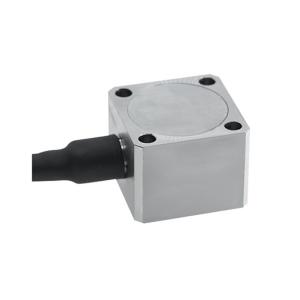
For example, the single-axis capacitive accelerometer ATO-AS-R0150, its peak measurement range can be selected as ±1 g, ±5 g, or ±50 g. Most projects choose ±50 g. Our customers found that after purchasing this accelerometer sensor, weighing only 20 g, it is precise and lightweight, able to accurately capture peaks and provide stable readings.
Accelerometer Accuracy & Resolution
How Small a Change It Can Detect
- Accuracy = how close the accelerometer sensor measurement is to the real value
- Resolution = the smallest change the acceleration sensor can detect
| Real-world resolution values | Type Detectable change |
| High resolution | 0.001 g–0.01 g |
| Medium resolution | 0.01 g–0.03 g |
| Low resolution | >0.03 g |
Noise level (lower is better)
| Noise level | Resolution |
| High noise | ≥0.03 g (bad for small movements) |
| Low noise | ≤0.01 g (good for precise work) |
Recommendation
| Suitable for | Accuracy & Resolution |
| Robots or industrial vibration | High resolution (0.001–0.01 g), low noise (≤0.01 g) |
| A simple phone app | Medium resolution |
| Advanced users | Noise density (μg/√Hz) and temperature drift for high-precision applications, or ask our engineers for datasheets |
Accelerometer Output Interface (UART, I2C, SPI, PWM)
Must Match Your Device. The inertial sensor’s interface must match your controller or computer. Otherwise, you can’t read the data.
Common interfaces
- Analog voltage: Voltage changes with acceleration
- SDA / SCL pins
- SPI MISO / MOSI / SCK pins
- UART TX / RX pins
- PWM: One wire with pulses
How to check your device
- SDA/SCL are the I2C bus lines
- MISO/MOSI/SCK are the SPI signals
- TX/RX are UART data lines
Accelerometer Bandwidth for Vibration Monitoring
How Fast It Can React? Bandwidth tells you how fast the accelerometer sensor can follow changes.
Bandwidth Selection Guide by Application
| Application Category | Required Bandwidth | Real-World Examples |
| Static / Low-Frequency Tilt | Less than 100 Hz | Monitoring door angles, slow inclination, or mobile device orientation. |
| Standard Industrial Vibration | 200–2000 Hz | Predictive maintenance for motors, pumps, and rotating machinery. |
| High-Speed Impact & Shock | Up to 5000 Hz | Automotive crash testing, ballistic events, and drop testing. |
Accelerometer Size, Power & IP Rating
Where Will It Live?
Size (length × width × height)
- Small: ~10×10×5 mm for phones, small gadgets
- Medium: ~20×20×10 mm for industrial robots
- Large: >30 mm for lab test benches
Power consumption
- Low: <5 mA for battery devices
- Medium: 5–20 mA for industrial control boards
- High: >20 mA for high-performance systems
IP rating: protection level
- IP20: no dust or water protection
- IP54: dust protected, splash proof
- IP65/IP67: fully dustproof & waterproof
Quick advice
- Handheld device: small size, low power, IP20/IP54
- Industrial robot: medium size, medium power, IP54/IP65
- Outdoor or wet area: IP65/IP67
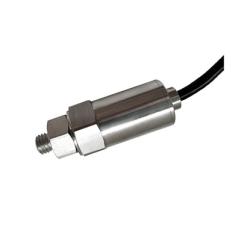
For example, this accelerometer vibration sensor ATO-AS-1020A has an RS485 output, which means its output frequency meets the industrial interface standards for industrial communication, allowing stable output over long distances (up to 1200 meters) and in complex environments.
At the same time, this product's measurement range differs from other sensors; its measurement unit is mm/s. This means that the measured effective value is not voltage or current, but the vibration waveform is converted internally, allowing direct reading of acceleration and velocity values as digital signals.
Accelerometer Guide: From Industrial to Impact
The All-Rounder: Versatile Motion Sensing
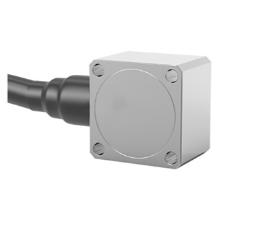
Triaxial capacitive accelerometer ATO-AS-SADR, Range: ±1, ±5, or ±50 g – Good for vibration, tilt, and shock. Small size, low power, easy to install. Works for most factory or robot projects
Industrial Performance: For High-Speed Vibration & Lab Testing
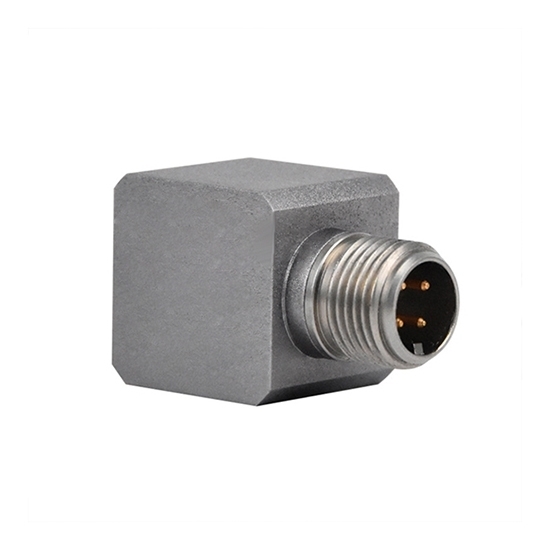
ICP/IEPE accelerometer sensor ATO-AS-SAE051, Bandwidth up to 5000 Hz – Great for high-speed machine vibration or lab testing. Very low error, high accuracy. Connects directly to industrial systems.
Quick Checklist – What You Need to Remember
- Find your max acceleration, then add 10–20%
- Pick high resolution (0.001–0.01 g) and low noise (≤0.01 g) for important jobs
- Check your device’s interface: analog, I2C, SPI, UART, or PWM
- Match bandwidth
- Match size, power, and IP rating to your device and environment
- Slow tilt: under 100 Hz
- Industrial vibration: over 2000 Hz
Still not sure which accelerometer sensor fits your project?
If these products don’t meet your actual needs, then check out our full range of accelerometers. The product details page will include a very detailed list of technical specifications.
If you want to make a quick decision, our ATO Automation engineers offer free selection support. Tell us your max acceleration, required bandwidth, and output interface, and we’ll reply within 24 hours. Now you can choose an accelerometer sensor with confidence – no more guesswork!
